Mar 25 2026 | By: PhotoBiz Knowledge Base
Overview
Square is a supported payment gateway in PhotoBiz that allows you to accept secure online payments directly through your website. Once connected, clients can pay using credit or debit cards through your Online Store, Client Galleries, Scheduler, Invoices, and Forms.
In this guide, you will learn how to connect your Square account, authorize access, and configure your payment settings. By the end, your website will be ready to process payments through Square.
Log into your PhotoBiz account and click ECOMMERCE from the left-side menu. This opens your ECommerce dashboard where your payment settings are managed.
Go to Merchant Settings
Hover over Payment in the menu.
Click on Merchants.
Add Square as a Merchant
Click the New Merchant button.
By default, Stripe is selected. Click the dropdown and choose Square.
Click the Connect to Square button.
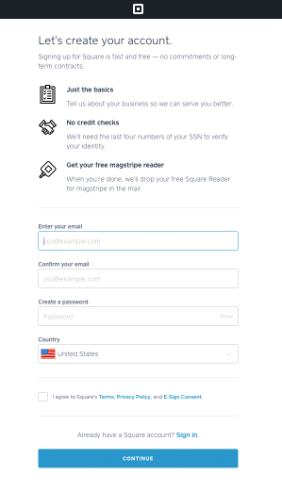
A new window will open prompting you to log into your Square account. If you don’t have a Square account, you’ll be guided through the steps to create one.
Authorize Your Square Account
Follow the prompts to log into and authorize your Square account. Once complete, your Square account will be connected to your PhotoBiz website.


After completing these prompts, your Square account will be connected to your PhotoBiz site, enabling online payments almost immediately.
Configure Your Square Settings
Click Configure New Square Account to review your settings.
Confirm the card types you’d like to accept.
⚠️ Note: Only websites using PhotoBiz 9 or newer can use Square as a payment option for the Online Store.
Save Your Settings
Click Save to complete the setup. Your PhotoBiz account is now ready to accept online payments via Square!
Important Payment Information
Compatibility Notes
In-Person Payments
Once Square is connected, your checkout page will include secure fields where clients can enter their credit or debit card information. Payments are processed through Square immediately after submission.
PhotoBiz provides a PCI Compliance Certificate for your account.
To download your certificate:
You can use this certificate if a client, bank, or institution requests proof of PCI compliance.